
Reliving Retro Blocks: Your Guide to Eaglercraft
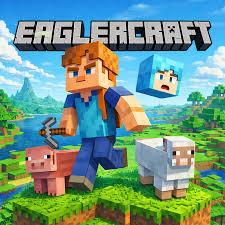
Minecraft is undoubtedly one of the most iconic games of all time, offering infinite creativity and endless adventure. However, access to the full game can sometimes be restricted by hardware limitations, strict network firewalls at school or work, or simply the lack of administrative rights to install new software. Enter Eaglercraft, a fascinating community project that brings the full, classic Minecraft experience directly into your web browser.
Whether you are a nostalgic player looking for a quick session or a student wanting to build during a break, here is a guide on how to play and get the most out of this browser-based marvel.
Understanding the Gameplay
At its core, Eaglercraft is a full JavaScript and WebGL port of Minecraft (specifically based on version 1.5.2 and 1.8.8). This means the gameplay is identical to the official PC release you know and love.
When you load the game, you are greeted with the familiar title screen. You can jump straight into a single-player world to survive, craft, and explore procedurally generated landscapes. Alternatively, the game features fully functional multiplayer support. Players can join custom WebSockets-enabled servers to play mini-games, build on creative plots, or join survival factions with other web players around the globe. The controls are standard for any PC FPS: WASD to move, Space to jump, left-click to mine/attack, and right-click to place blocks or use items.
Tips for the Best Experience
Because the game runs entirely within your browser's runtime environment, performance can vary. Here are a few practical tips to ensure your gameplay remains smooth:
- Optimize Your Video Settings: If you experience lag or frame drops, open the in-game settings and lower the render distance to "Short" or "Tiny." Turning off smooth lighting and fancy graphics will also significantly boost your FPS on lower-end laptops.
- Save Your Worlds Regularly: Single-player worlds are saved in your browser’s local storage (cookies and site data). If you clear your browser history, you might accidentally delete your creations. Be sure to use the in-game export feature to download your world files to your local drive as a backup.
- Use Chrome or Firefox: WebGL performance varies across different platforms. Chromium-based browsers (like Google Chrome, Brave, or Edge) and Mozilla Firefox generally offer the best hardware acceleration for WebAssembly and WebGL.
Conclusion
Eaglercraft is an impressive testament to modern web technology and community ingenuity. It removes the barriers of downloads and installations, allowing anyone with an internet connection to jump into a blocky sandbox world within seconds. While it may not replace the latest official updates of modern Minecraft, it offers a surprisingly complete, performant, and nostalgic way to play one of the greatest games ever made—right from a browser tab.

 English
 Arabic
 French
 Spanish
 Portuguese
 Deutsch
 Turkish
 Dutch
Dutch
 Italiano
 Russian
 Romaian
 Greek
Greek