
The Moment Interest Needs Somewhere to Go
A customer discovers a product while watching a short video, browsing a creator's page, or looking through a collection of lifestyle photographs. The item catches their attention, and they begin imagining how it might fit into their routine, home, or business. Yet the original content may provide only a brief introduction. Once curiosity grows, the customer needs a convenient way to investigate the product without losing the context that made it interesting in the first place.
This transition is an important part of the modern buying journey. Social content can introduce products in engaging situations, but exploration requires a different kind of information. Customers may want to inspect a design, understand its proportions, compare alternatives, or find practical details before making a decision. When brands fail to provide a clear next step, interested visitors can become distracted or continue their research elsewhere.
Businesses can improve this experience by treating social media as the beginning of product discovery rather than the final destination. A carefully connected journey gives customers opportunities to move from an attractive post to a more detailed product presentation, where visual information and practical details work together. The result is a more considered approach to digital marketing that focuses on helping people understand what they are seeing.
Understanding the Different Levels of Customer Interest
Not every person who encounters a product online has the same intention. Some users are casually collecting inspiration, while others are comparing options before making a purchase. A smaller group may already know what they want and simply need confirmation that a particular product meets their requirements. A useful digital journey recognises these differences instead of directing every visitor through an identical sequence.
Social content is particularly effective at reaching people during the early stages of interest. A well-composed image or an engaging demonstration can introduce a product before someone begins actively searching for it. At this stage, the customer may not need a lengthy explanation. They need a clear impression and an easy way to learn more if the product appeals to them.
As interest develops, the information requirements change. Customers may want to know how large an item is, which features distinguish it from alternatives, or whether it suits a particular environment. Interactive product exploration can support this later stage by allowing people to investigate selected details at their own pace.
Recognising these different stages helps businesses create more relevant experiences. Instead of asking every visitor to purchase immediately, brands can provide useful options for continued research, comparison, and eventual action.
Giving Existing Visual Content a Second Purpose
Many businesses already invest in product photography for online stores, advertisements, social profiles, and promotional campaigns. These images establish a consistent visual identity, but their usefulness does not have to end with publication. With the right production process, existing imagery can become a starting point for additional digital experiences.
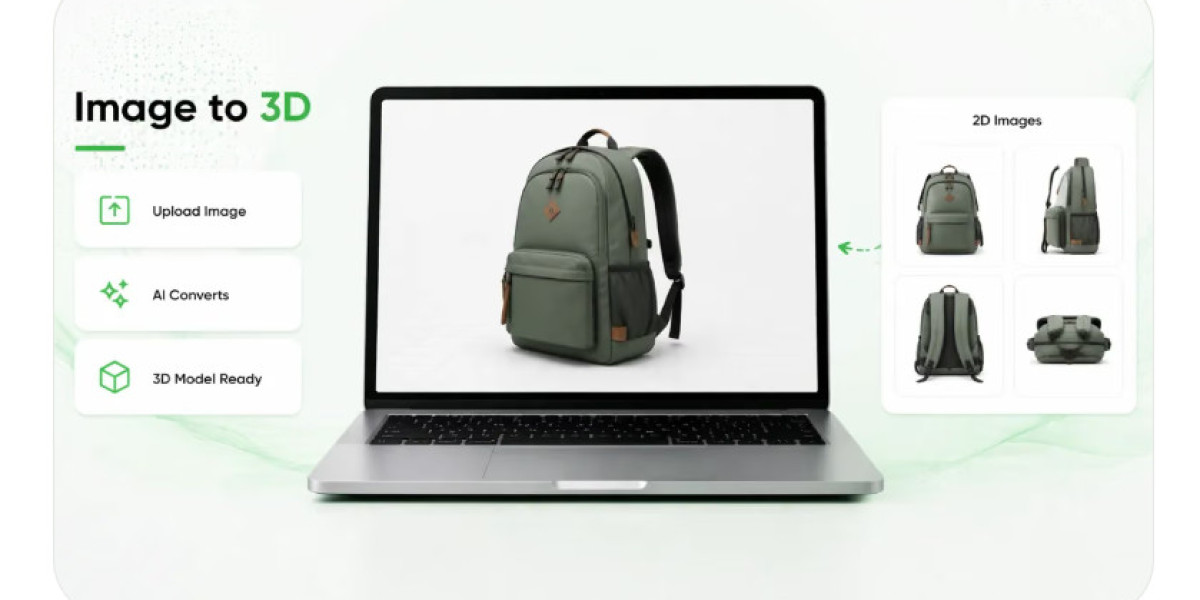
An image to ar workflow offers one possible route for extending the role of product photographs. Depending on the tools being used and the quality of the source material, an image may help initiate the creation of a three-dimensional representation or another interactive visual experience. This gives customers an alternative to examining a product exclusively through fixed photographs.
The practical benefit depends on what the experience enables people to understand. A decorative object might be easier to evaluate when its shape can be examined from several angles. A furniture product could benefit from a digital representation that communicates its overall form. A product with distinctive design features might become easier to understand when visitors can inspect its structure more closely.
However, converting imagery into interactive content requires appropriate quality checks. A single photograph may not contain enough information to reproduce hidden surfaces, complex textures, or fine details accurately. Businesses should review the resulting asset and use reliable specifications alongside it. The purpose is to improve visual understanding, not to imply that every digital model is a perfect representation of the physical item.
Designing a Natural Next Step After a Social Post
The transition from social content to product exploration should not feel like an interruption. If someone sees an interesting product in a video, the next step should help them investigate that same item without searching through unrelated pages. Maintaining a clear connection between the original content and the destination makes the journey easier to follow.
A brand can achieve this through direct product links, dedicated campaign pages, or clearly labelled invitations to explore a product in greater detail. The wording should communicate a specific benefit. An invitation to examine a product's design gives visitors a clearer reason to continue than a vague instruction to discover more.
The destination should also match the expectations created by the original post. If a campaign highlights a particular product feature, the linked experience should make that feature easy to locate. If the post introduces a new collection, visitors should be able to identify the featured items without navigating an unnecessarily complicated menu.
Consistency matters across the entire journey. Product names, photographs, descriptions, and promotional messages should remain aligned between the social post and the destination. When these details match, customers can concentrate on evaluating the offering rather than wondering whether they have reached the correct page.
Replacing Passive Viewing With Active Examination
A photograph presents a chosen perspective, whereas an interactive product view can give visitors more control over how they examine an item. Depending on the available functionality, users may be able to rotate a model, inspect different sides, or explore visual details that are difficult to appreciate in a single frame. This makes the experience more responsive to individual curiosity.
Consider a customer looking at a modern chair through a social media advertisement. The original image might communicate its style and show how it looks within a room. An interactive presentation could provide a closer view of its frame, overall silhouette, and design proportions. The customer could then consult the product page for dimensions, materials, delivery information, and pricing.
This combination supports a more complete evaluation without requiring the brand to place every detail inside one advertisement. The social post captures attention, the interactive view provides additional visual context, and the product page supplies the information needed to assess suitability.
Active examination should remain optional and intuitive. Some visitors may prefer photographs and written descriptions, while others enjoy manipulating a digital model. Providing both approaches allows people to choose the format that works best for them and reduces the risk of making technology a barrier to product understanding.
Bringing Property Discovery Into a More Visual Context
Real estate offers an interesting example of why customers sometimes need more than an attractive photograph. A property listing may show a beautifully arranged living room or an impressive exterior, but prospective buyers and renters often need additional context before deciding whether a property deserves further consideration. They may want to understand room arrangements, examine design concepts, or explore how particular furnishings contribute to a space.
The broader field of ar real estate provides opportunities to support this kind of exploration through suitable digital visualizations. Depending on the technology and available assets, interactive experiences may help communicate proposed interior arrangements, selected architectural details, or design possibilities within a physical environment.
For example, a property developer could connect a social media campaign with an interactive presentation of a proposed apartment interior. An interior designer might use a digital visualization to explain how different furnishings could work together. A real estate agency could supplement its promotional posts with a richer online presentation containing floor plans, property details, photographs, and interactive media.
These experiences can help prospective clients understand concepts before arranging a physical visit. However, visualizations must be labelled accurately, especially when they depict proposed developments or hypothetical design changes. Digital representations should not be confused with verified property conditions. Dimensions, construction details, and other important information still need to be communicated clearly.
Making the Experience Convenient on a Smartphone
The transition from social content to product exploration frequently happens on a mobile device. Visitors may be browsing during a short break or moving between several applications, which means they are unlikely to tolerate unnecessary steps. An experience that takes too long to open or requires unfamiliar software can lose the attention that the original post successfully earned.
Browser-based augmented reality can help reduce this friction in suitable implementations. Customers may be able to open an experience through a link on a compatible smartphone without installing a separate application. This approach can make interactive content more accessible to people who want to investigate a product but are not yet committed to buying it.
Convenience also depends on performance. Models should load within a reasonable time, navigation should be straightforward, and interactive controls should be understandable without extensive instructions. Businesses should test their experiences on a range of supported devices and consider how different network conditions affect loading.
A reliable experience should also provide alternatives. Product descriptions, photographs, specifications, and contact information should remain accessible even when an interactive feature does not work on a particular device. This helps ensure that the customer's ability to evaluate a product does not depend entirely on a single technology.
Connecting Exploration With Useful Decisions
Interactive viewing becomes more valuable when it connects naturally with the next question a customer needs to answer. Someone examining a furniture model may want to confirm its measurements. A person exploring a household appliance may need to check compatibility or installation requirements. A prospective property buyer may want to arrange a viewing or request additional documentation.
Businesses should therefore avoid treating the interactive experience as an isolated destination. Clear links to specifications, comparison tools, availability, pricing, and support can help visitors continue their research without starting again. The exact options will depend on the product and the customer's stage in the buying journey.
It is also important to avoid overwhelming visitors with too many calls to action. A product exploration page should make the main next step obvious while keeping secondary information available when needed. Someone who wants to examine a model should not have to close several promotional windows before reaching it.
A connected experience supports informed decisions by bringing visual and practical information together. It does not need to pressure visitors into purchasing immediately. Giving people the opportunity to investigate the offering can make the eventual decision more deliberate and better aligned with their needs.
Turning Customer Behaviour Into Better Content
Businesses can learn from the way people move between social posts and interactive experiences. If a campaign attracts many clicks but few visitors explore the product, the landing page may not be communicating the next step clearly. If visitors spend time examining a model but leave without viewing specifications, important supporting information may be difficult to find.
Useful performance indicators include link clicks, experience launches, interaction rates, repeat visits, product-page activity, enquiries, and purchases where appropriate tracking is available. Each measure should be interpreted in relation to the campaign's purpose. A brand building awareness may value exploration and repeat visits, while a campaign promoting a specific product may focus on qualified enquiries or completed transactions.
Businesses can also compare different creative approaches. A short demonstration might encourage more exploration than a static post, while a direct product link could outperform a general brand-page link. Testing these variations can reveal how presentation and navigation influence customer behaviour.
Numbers alone cannot explain every result. Feedback from customer service teams, questions asked in comments, and observations from sales staff can help identify information gaps. Combining these insights with performance data gives businesses a stronger foundation for improving future content.
Maintaining Useful Experiences Over Time
Interactive content can remain useful beyond the campaign that introduced it. A digital product representation may support social media, online catalogues, product pages, email marketing, or sales presentations. When businesses reuse suitable assets, they can maintain a consistent product presentation across multiple channels and avoid recreating every visual resource from the beginning.
Long-term usefulness depends on proper maintenance. Product specifications may change, new versions may become available, and old promotional links may stop working. Businesses need a process for reviewing digital assets and ensuring that the information customers encounter remains accurate.
The same principle applies to property visualizations. A proposed design may change during development, so its digital presentation should be updated or clearly identified according to the stage it represents. Outdated visual content can undermine trust if visitors assume that it reflects current conditions.
A well-managed content library helps teams identify available assets, connect them with the correct products, and determine when updates are necessary. This turns interactive content into a reusable business resource rather than a short-lived campaign experiment.
Helping Curiosity Lead Somewhere Meaningful
Moving customers from social content to product exploration requires more than adding an interactive feature to a marketing campaign. It involves understanding what attracts attention, identifying the questions that arise afterward, and providing a convenient way to answer them. When each stage supports the next, the customer can progress from discovering a product to evaluating it with greater clarity.
Businesses can begin with products or spaces that benefit from closer visual examination. They can prepare suitable digital assets, connect them to relevant social content, and make sure that visitors can easily find specifications and other important information. Mobile usability, accurate representations, and consistent messaging should remain central throughout the process.
Not every customer needs an interactive view, and not every product benefits equally from one. The strongest results are likely to come from applying the technology where it addresses a genuine information gap.
By making product exploration a natural continuation of social discovery, brands can create a more useful online journey. The goal is not simply to keep people interacting for longer. It is to help them understand what they have discovered, evaluate whether it meets their needs, and decide what they want to do next.